Translate your Nucleus website
Nucleus sites are built so people take a clear next step: plan a visit, join a group, give. Bablic makes that step just as clear in Spanish, Korean, or Haitian Creole. The Multilingual Ministry Kit covers your whole site with one paste into your head code, and every translation stays under your team's control.
It works in Korean, Haitian Creole, Portuguese, and dozens more. Add the snippet and preview your site in minutes. Your first 30 days are free.
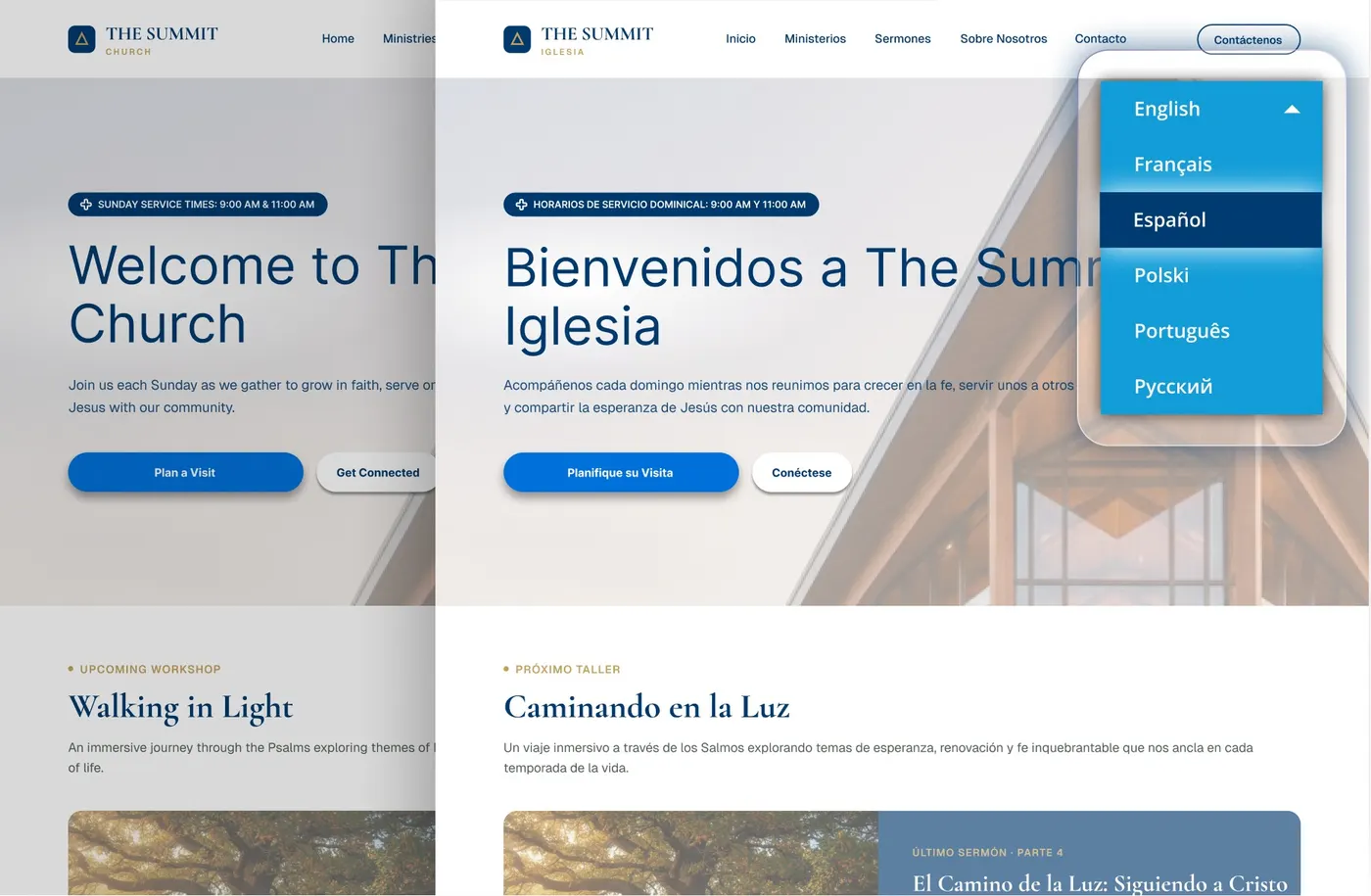
It packages everything your church needs to launch a second language.
Clarity has one dependency: the reader's language
You chose Nucleus because clarity converts. Fewer menus, cleaner pages, and one obvious action per screen add up to a website that gets real people to actually do the thing.
But the clearest "Plan Your Visit" page in your city still doesn't work for the family reading it in Spanish, Korean, or Haitian Creole. For that family, the clearest site in town is still a site that can't welcome them yet.
Bablic finishes what Nucleus started: the same clear site, and the same obvious next steps, in every language your church serves.
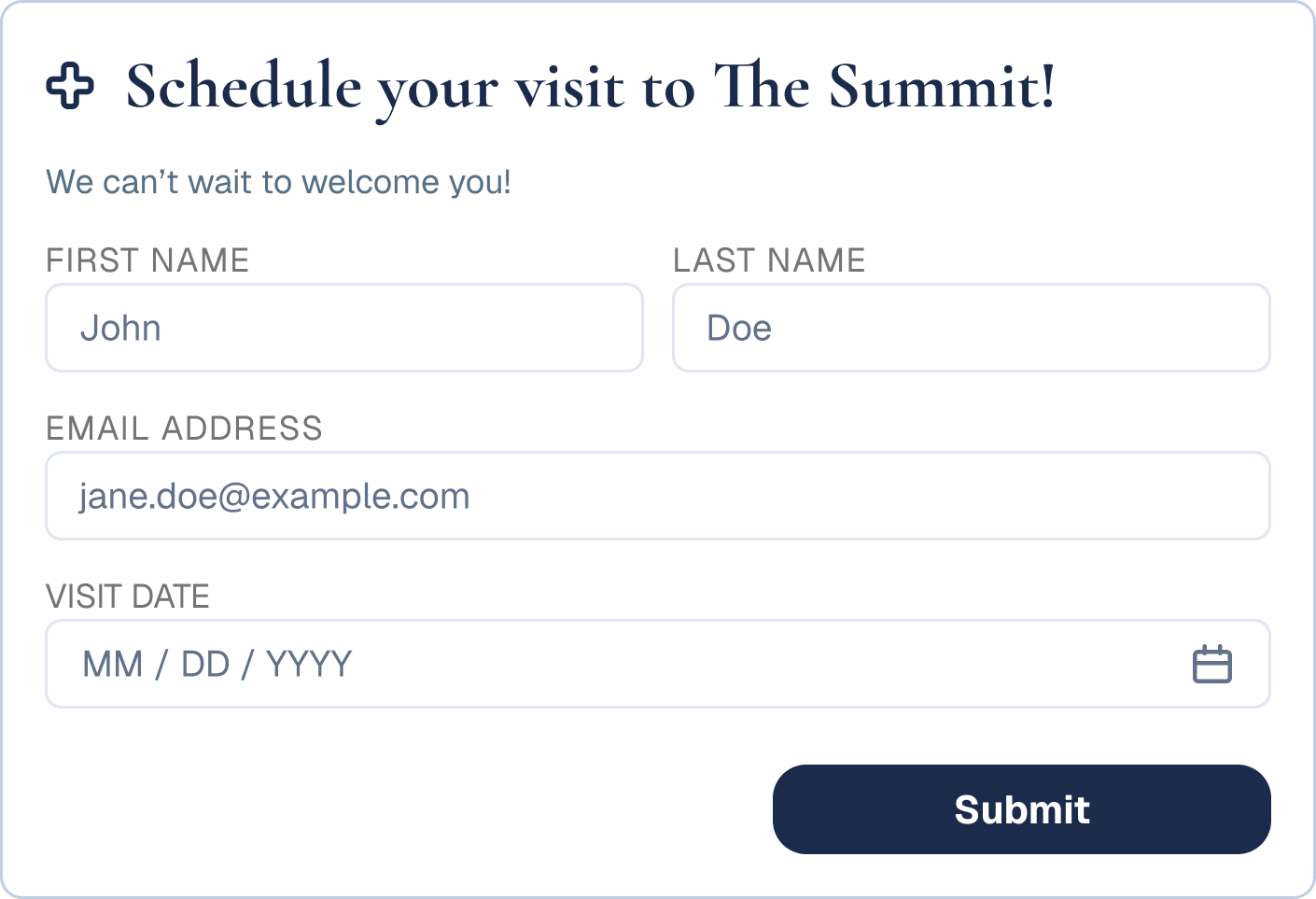
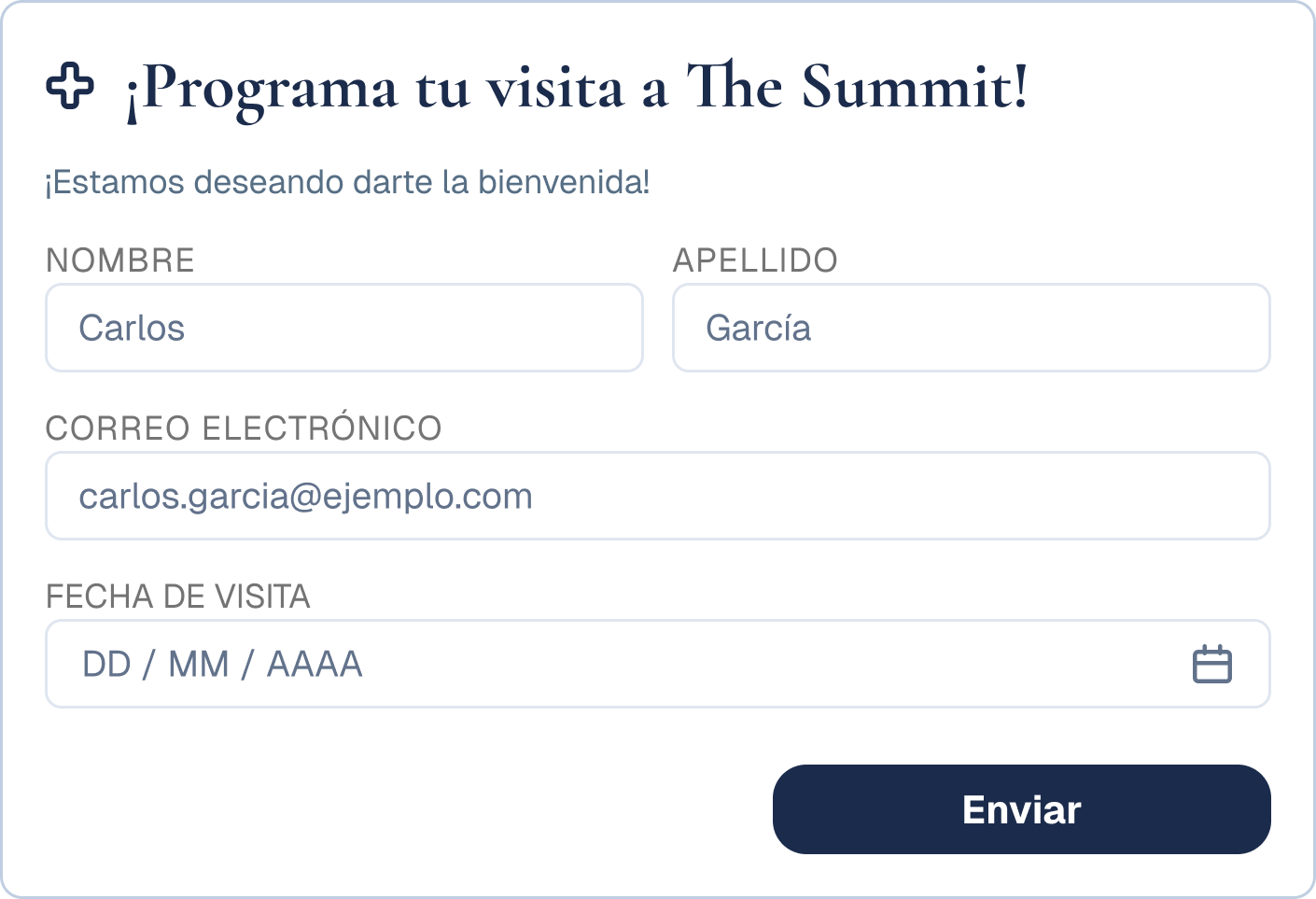
The next step stays just as obvious for the family reading in Spanish.
One paste covers every page
Start your free 30-day trial.
Enter your site's address and pick your languages. You'll see your homepage translated in minutes.
Copy your Bablic snippet.
You'll get one line of code that's unique to your site.
Paste it into your head code.
In Nucleus, go to Dashboard → Design → Custom Code → Head Code, give the snippet a name, and paste it in. That single paste covers every page on your site.
Review and refine.
The language switcher appears site-wide, and every change from here happens by point and click in the visual editor.
(Head code is a standard Nucleus design setting, and it's the same place churches add their other site-wide scripts.)
Next steps work in first languages.
Plan a visit, join a group, sign up, give: the actions your site is built around stay just as clear when the reader switches languages.
You update once, and it translates everywhere.
Bablic picks up new series, events, and pages as you publish them, and it keeps every language current automatically. Pages you add later are covered from the moment they go live, because the snippet already runs site-wide.
Every word stays yours.
Click any sentence in the editor and change it, including swapping machine output for the Bible translation your congregation reads. Professional human review is available for the pages where wording matters most.
Get found in the languages you serve.
Bablic creates real, search-indexable pages per language, so a family searching in Spanish can find you before Sunday.
Bablic fits the church that runs on Tuesdays
Most Nucleus churches don't staff a web team. They have a person, and that person holds a real job too. Bablic respects that.
- You install it once. One paste into your head code covers the whole site, so there's nothing to repeat next month.
- The translations maintain themselves. Bablic keeps every language current as you publish, so nothing sits half finished.
- The commitment stays small. Plans come monthly, and your first 30 days are free.
- Anyone on the team can use the editor. It works by clicking text on the page, and Bablic support sits an email away when you want backup.
Frequently asked questions.
No. The install is one paste into your Nucleus head code, and the four steps above cover the whole setup. After that, everything works by point and click.
No. Bablic layers over your existing site, and your Nucleus theme, sections, and layout stay exactly as you built them. The one visible addition is the language switcher, and removing Bablic means deleting one snippet.
Yes. Because the snippet lives in your site's head code, it runs on every page, including the ones you build next month. You won't repeat the install.
Your pages translate fully. Content rendered inside embedded third-party tools is controlled by those tools, and your free trial preview shows exactly what's covered on your site.
Yes. The visual editor works by clicking text on the page itself. If they can edit a page, they can edit a translation.
Plans come monthly or annually, and every plan starts with a free 30-day trial. Annual plans cost the least per month. Current pricing lives at bablic.com/pricing. Special pricing available through our Multilingual Ministry Kit.
The next step is already clear.
Make it clear in every language your church serves.
Your first 30 days are free, and the preview takes minutes.
Do you work at Nucleus? Churches on your platform install Bablic today with one paste into Head Code, which makes yours one of the cleanest installs we support. We'd love to make it official: get in touch.