Translate your Subsplash website
Your church already streams, gives, and gathers through Subsplash. Bablic adds the languages your congregation speaks. The Multilingual Ministry Kit installs through a code block, goes live before Sunday, and leaves every word editable by your team.
It works in Korean, Haitian Creole, Portuguese, and dozens more. Add the snippet and preview your site in minutes. Your first 30 days are free.
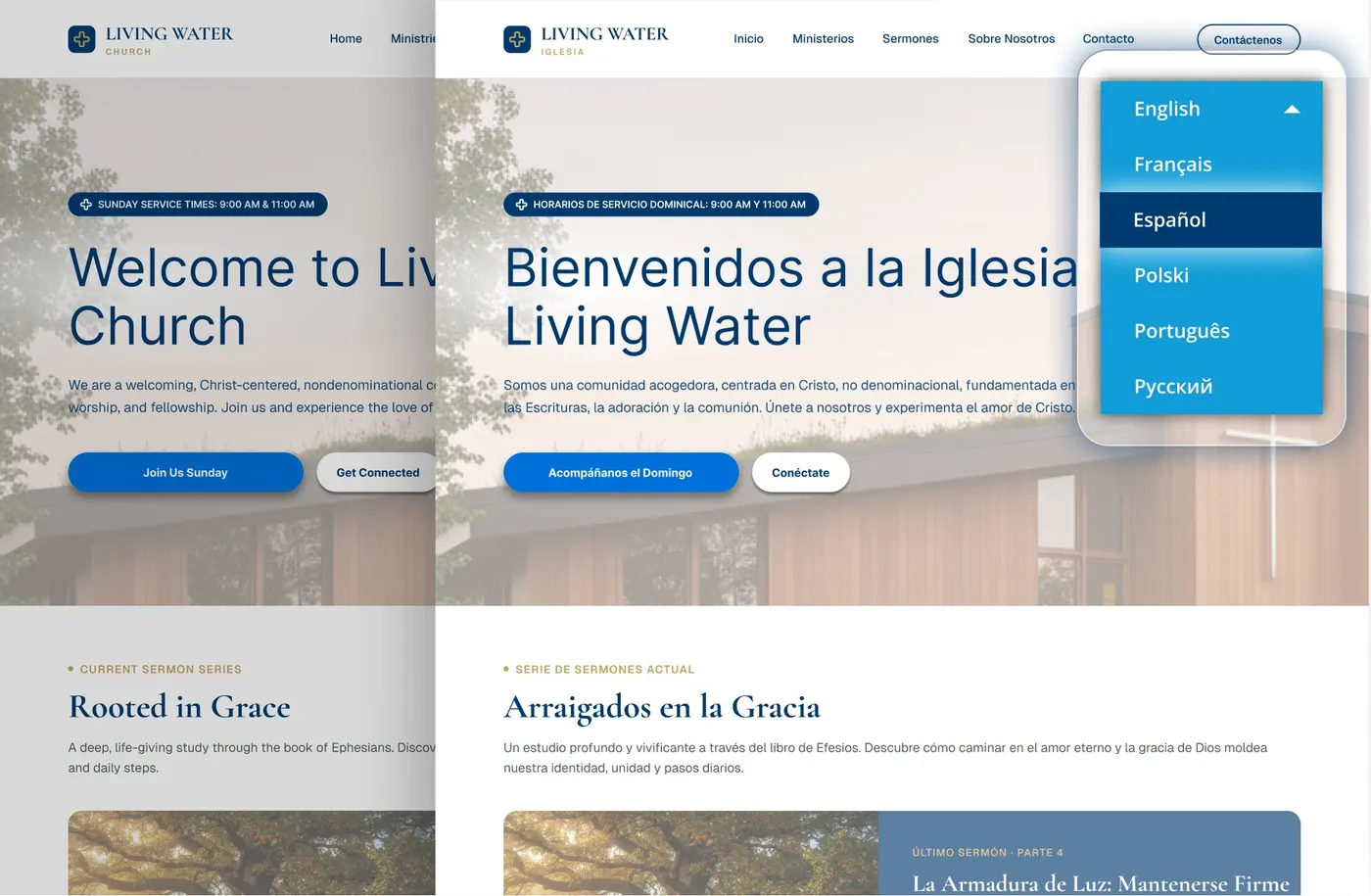
It packages everything your church needs to launch a second language.
Your media reaches everyone, but your website's language doesn't yet
Churches choose Subsplash because reach matters to them: the sermon streams on Sunday, the app carries the announcements, and giving sits two taps away. A church has never been this connected.
Then a Spanish-speaking family opens the website (or the Korean congregation that meets in your chapel does, or the Haitian fellowship that shares your building), and the site greets them in English only. The most connected church online is still monolingual at its front door, and the front door is where new families decide whether to walk in.
Bablic fixes the front door without touching anything else you've built.
Bablic installs through tools Subsplash already gives you
Start your free 30-day trial.
Enter your site's address and pick your languages. Add the snippet, and your translated homepage loads in minutes.
Copy your Bablic snippet.
You'll get one line of code that's unique to your site.
Add it in your Subsplash page editor.
Drag in a Code block and paste the snippet. Snippets you save under Storage → Code can be reused across pages.
Publish.
The language switcher appears on your site, and every change from here happens by point and click in the visual editor.
This week's sermon page gets translated this week.
Your site changes weekly with new messages, events, and series graphics. Bablic picks up new content automatically and keeps every language current, and nobody has to re-hire a translator.
The Word stays in their words.
Click any verse in the editor and replace machine output with the translation your congregation reads, whether that's Reina-Valera, NVI, or 개역개정. You control every word on the page.
Humans review the pages that carry weight.
For statements of faith, giving pages, and membership commitments, a bilingual pastor, elder, or trusted volunteer reads the translation and corrects it in the editor. Machine output never has to be the last word.
Get found by the families you're hoping to reach.
Bablic creates real, search-indexable pages in each language, so your site becomes visible to families searching in Spanish or Korean, not just to the ones who already have your link.
Frequently asked questions.
No. Bablic translates your website, and content inside the Subsplash app is managed in Subsplash itself. Many churches run both: the app serves members, and the multilingual website serves guests, new families, and search.
The page around them translates fully. Content rendered inside embedded players and giving frames is controlled by those tools, and your free trial preview shows exactly how each page looks in every language.
Yes. Custom code and Code blocks are documented Subsplash website features, and Bablic installs through them like any other third-party widget. Nothing happens outside your own editor.
No. If someone on your team can edit a page in Subsplash, they can paste the snippet. After that, everything works by point and click.
Plans come monthly or annually, and every plan starts with a free 30-day trial. Annual plans cost the least per month. Current pricing lives at bablic.com/pricing. Special pricing available through our Multilingual Ministry Kit.
Your congregation is already multilingual. Sunday proves it.
Let the website catch up. See it in Spanish today.
Create a free account, add the snippet, and preview your site in minutes.
Do you work at Subsplash? Churches on your platform can install Bablic today through your own Code blocks. We'd love to make it official: get in touch.