
Translate your Tithely website
Your Tithely site already handles Sundays: events, sermons, giving, sign-ups. Bablic adds Spanish, Korean, Haitian Creole, or any other language your members speak. The Multilingual Ministry Kit installs through your page editor, so you won't rebuild anything or learn a new platform, and every word stays editable.
It works in Korean, Haitian Creole, Portuguese, and dozens more. Add the snippet and preview your site in minutes. Your first 30 days are free.
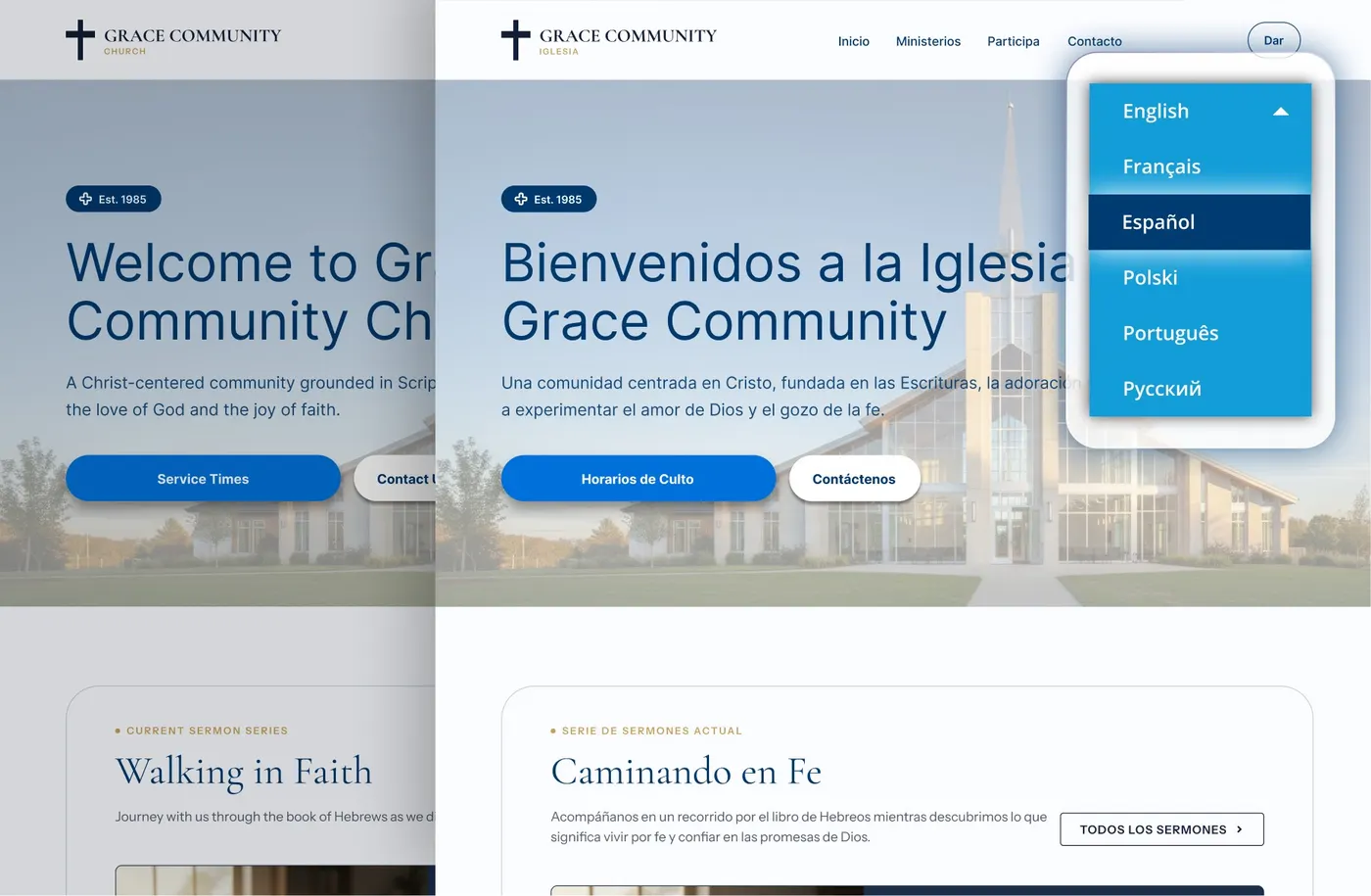
It packages everything your church needs to launch a second language.
The workaround era ends here
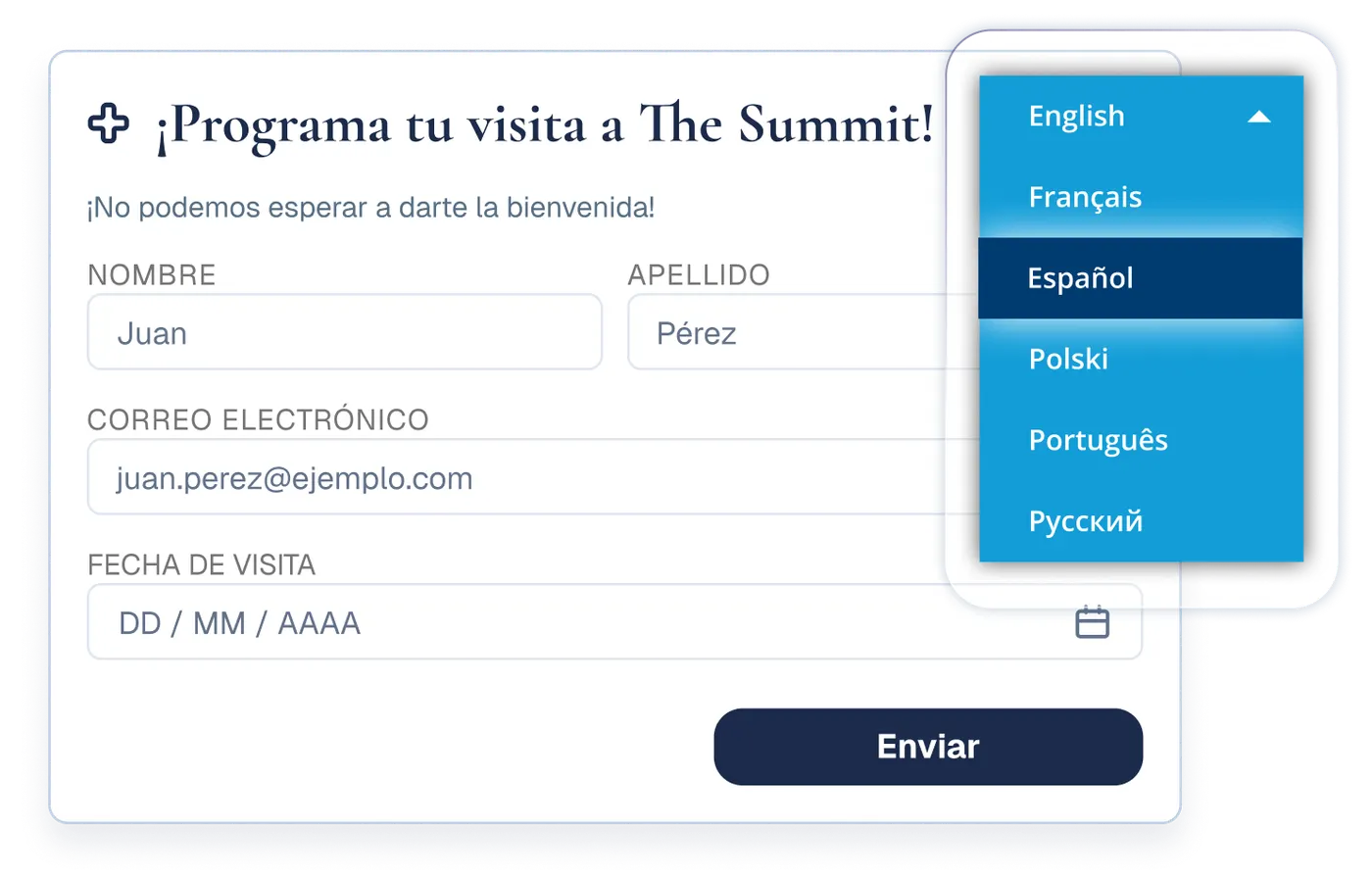
The welcome is already there in person. The website is the last piece to catch up.
Churches on Tithely run lean: a small staff and a few volunteers keep one platform doing the work of five. That's the point.
Adding a second language is usually where lean breaks down. It becomes the workaround era: a volunteer translates the big announcements, a printed insert covers the Spanish service, and a Korean Facebook post goes up when someone has time. Every workaround depends on one busy person, and none of them help the family who looks at your website on a Tuesday night to decide where to visit on Sunday.
Bablic replaces the workarounds with a website that simply speaks both, and it keeps speaking both as your site changes.
Add Bablic to the pages you want translated
On Tithely, code goes in page by page, so you decide which pages speak more than one language. Plenty of churches start with the handful a first-time visitor actually opens: the homepage, plan a visit, service times, and giving.
Start your free 30-day trial.
Enter your site's address and pick your languages. You'll see your homepage translated in minutes.
Copy your Bablic snippet.
You'll get one line of code that's unique to your site.
Paste it into a page.
In your Tithely page editor, click the Source code (<>) button in the text editor's toolbar, paste the snippet, click OK, then click Save Page.
Repeat on any other page you'd like translated.
It's the same paste every time, and the language switcher appears on each page you add it to.
Every page you add it to translates itself from there, and it keeps up as you edit that page. Pages you skip stay in English, which is fine when it's on purpose and annoying when it isn't. That's what the next section solves.
Do you want your whole site translated, not just a few pages?
Tithely adds code page by page, and it doesn't offer a site-wide option today, so translating an entire site by hand means repeating that same paste on every page. Nobody wants to spend a Thursday doing that.
So we'll do it for you. Bablic offers concierge setup for Tithely churches, and you paste nothing.
- Our team installs Bablic across every page you want translated.
- We test the language switcher on each one.
- We confirm the whole site behaves correctly before we hand it back, and you approve the finished result.
Concierge setup is a one-time service with a flat fee, and we quote it before any work starts. Ask for it during your free trial and we'll take it from there, or write us first: get in touch.
Bablic is built for teams of one.
You won't learn new software, and you won't maintain anything. Each page you've installed translates itself as you update it, and you step in only when you want to adjust a word.
This month's events appear in every language, automatically.
Sermons post, events move, and sign-ups open. Bablic picks up new content on your installed pages as it appears and keeps every language current, with no re-translating and no stale pages.
Scripture and doctrine stay in your hands.
Click any sentence in the editor and replace machine output with the wording your church uses, including the Bible translation your congregation reads. Professional human review is available for the pages you'd never trust to a machine alone.
Get found by families you haven't met yet.
Bablic creates real, search-indexable pages per language, so a search in Spanish or Korean can lead to your church.
Here's what happens with giving forms
Bablic translates your website's pages fully. Tithely giving forms are rendered by Tithely inside the page, so coverage there can vary, and your free trial preview shows exactly how your giving flow looks in each language before you decide anything.
One thing never changes: your Tithely giving setup, records, and donor data stay completely untouched. Bablic only runs on your public website.
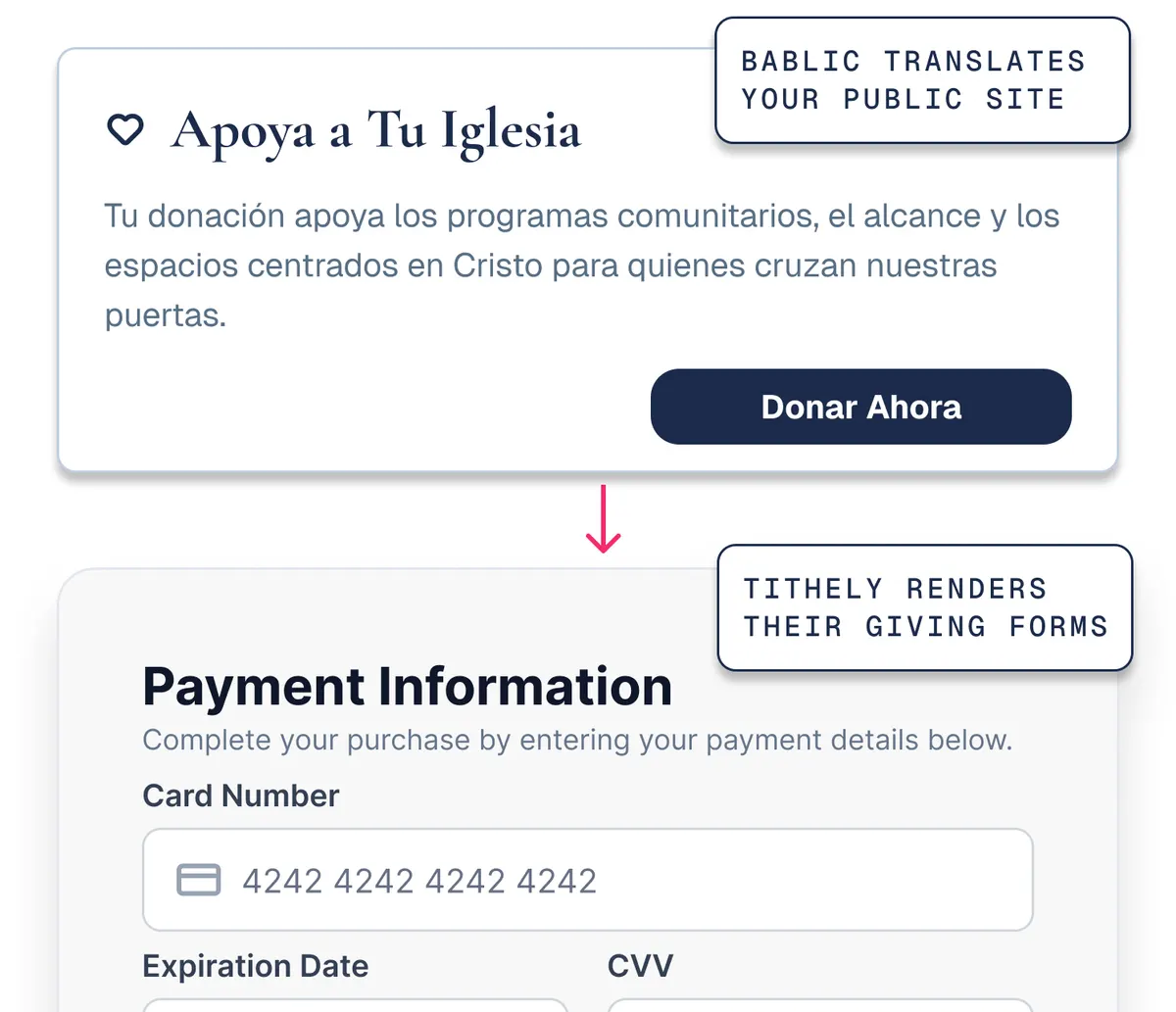
Your trial preview shows exactly how your own giving flow looks in each language.
Frequently asked questions.
Those pages stay in English, and the language switcher doesn't appear on them. Many churches choose that on purpose and translate only their visitor-facing pages. If you'd rather have the whole site covered, ask us about concierge setup and we'll handle the installs for you.
It's a flat one-time fee, and we quote it before any work begins so nothing surprises you later. The number depends on how many pages you want covered. Ask during your free trial and we'll send it over.
Paste the same snippet when you build the page, and it translates like the rest. It takes about as long as adding a photo.
No. Bablic runs only on your public website pages. Your Tithely admin, giving records, and member data stay untouched.
No. If someone on your team can edit a page in Tithely, they can paste the snippet, and the steps above cover the whole install. After that, everything works by point and click.
Yes. The visual editor works by clicking text on the page itself, with no separate tool to learn.
It's the opposite, because plants are often bilingual from day one. Plans come monthly or annually, the first 30 days are free, and a small site takes very few pastes.
Plans come monthly or annually, and every plan starts with a free 30-day trial. Annual plans cost the least per month. Current pricing lives at bablic.com/pricing. Special pricing available through our Multilingual Ministry Kit.
Your members already worship in two languages.
Your website can start this week.
Your first 30 days are free, and the preview takes minutes.
Do you work at Tithely? Churches on your platform install Bablic today through the page editor's Source code button, and a site-wide head option would turn four pastes into one. We'd love to make it official: get in touch.