Website translation without word limits.
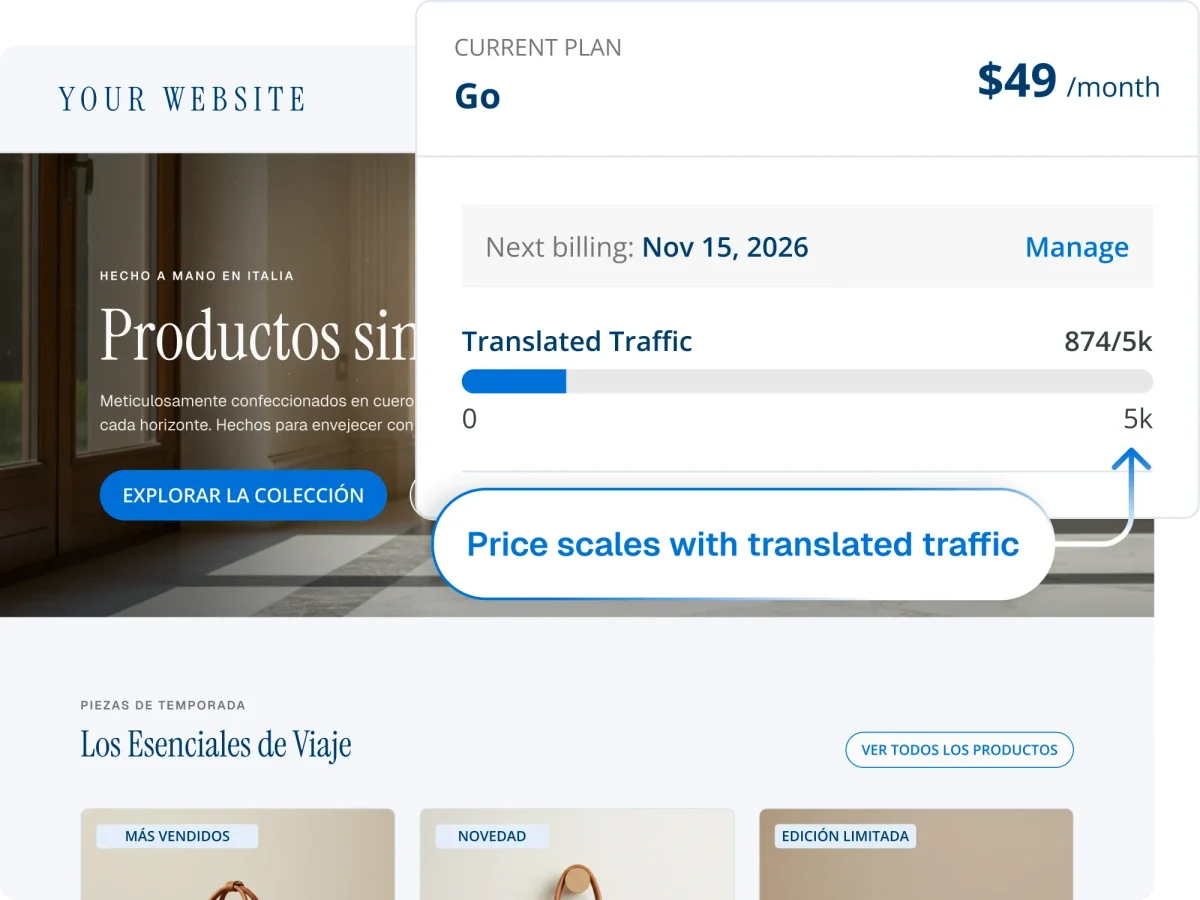
Avoid word count limits and database bloat with Bablic, a managed platform with a pricing model that scales with your business.

How do Bablic and TranslatePress compare?
TranslatePress and Bablic both translate WordPress sites automatically, and both include a visual editor. The differences are in how you pay, where your translations live, and which platforms you can use.
You pay for visits, not words. Publish and update as much as you want.
Each plan includes a fixed amount of AI translation words. Beyond that, you buy word packs or connect your own paid Google Translate or DeepL API key.
Nothing is added to your WordPress database.
Every translated string, in every language, is stored on your own server.
One account covers WordPress, Shopify, Webflow, Wix, Squarespace, and custom sites.
The Shopify app is a different product with its own plans.
Edit on the live page, fix layout, and swap images and assets per language.
Translate text on the page with a live preview.
Avoid database bloat with Bablic's cloud-based software.
TranslatePress stores every translation in your WordPress database, in every language. That keeps everything self-hosted, but your database grows with every page and every language, and your whole translation setup is tied to your WordPress installation.
Bablic hosts your translations in its own managed cloud. Nothing is added to your WordPress database, there's nothing to re-test when WordPress updates, and the same account keeps working if you move to another platform.
Every new page spends words.

The allowance runs out as you grow.
TranslatePress plans include a fixed allowance of TranslatePress AI words, counted per word and per language. Publishing new content or adding a language draws down that allowance. Once it's used, you have to buy extra word packs or pay to connect your own Google Translate or DeepL API key.
Publish as much as you want.
Bablic pricing is based on the traffic your site receives, not the words on it. This means your plan can scale with your business. Your team can publish freely, update content as often as needed, and add new pages without ever worrying about running out of words.
What switching looks like.
Moving from TranslatePress to Bablic doesn't require downtime. Your Bablic account runs in parallel with your existing WordPress site. Translations can be reviewed and refined before you make anything live. Your site keeps running throughout, and you only publish when you're fully satisfied with the result.
Backed by  .
.
Most localization tools are built by software companies that learned translation along the way. Bablic, on the other hand, is built by TransPerfect: the world's largest translation company, with 30+ years serving global enterprises across every industry and language pair imaginable.
Frequently asked questions.
TranslatePress is primarily a WordPress plugin. It also offers a separate app for Shopify, with its own plans and pricing. Bablic works across any CMS, so one account can cover your WordPress site, a Shopify storefront, a Webflow landing page, or a custom help center.
Its AI translation does. Each TranslatePress plan includes a fixed allowance of TranslatePress AI words, counted per word and per language. Once it's used, you buy extra word packs or connect your own Google Translate or DeepL API key, billed separately by those providers. Bablic charges by traffic, so there are no word limits.
In your WordPress database. Every translated string is stored on your own server, in each language you add. Bablic is a managed SaaS platform that hosts translations in its own cloud, so nothing is added to your WordPress database.
Yes! Bablic gives your internal team or hired vendors a dedicated workspace for human post-editing, with team invitations, glossaries, and translation memory. Every change is visible in context on the page as you make it.
Yes! Bablic runs in parallel with your existing WordPress setup. You can review and refine translations before anything goes live, and your site keeps running throughout the process. You only publish when you're fully satisfied with the result.
Translation that grows with your site.
Start your free Bablic trial and leave word allowances, database bloat, and WordPress dependency behind.